HelpOverview
Do this week and Open loops: the week's actions, and what became of last week's
Where to find it Overview, Do this week, with Open loops under it
Short answer Do this week on Overview lists up to eight things to do, most urgent first. Click the ? next to one for the rule and the numbers behind it. Open loops, under it, takes last week's saved list and says what the numbers show for each item now.
Where to find it
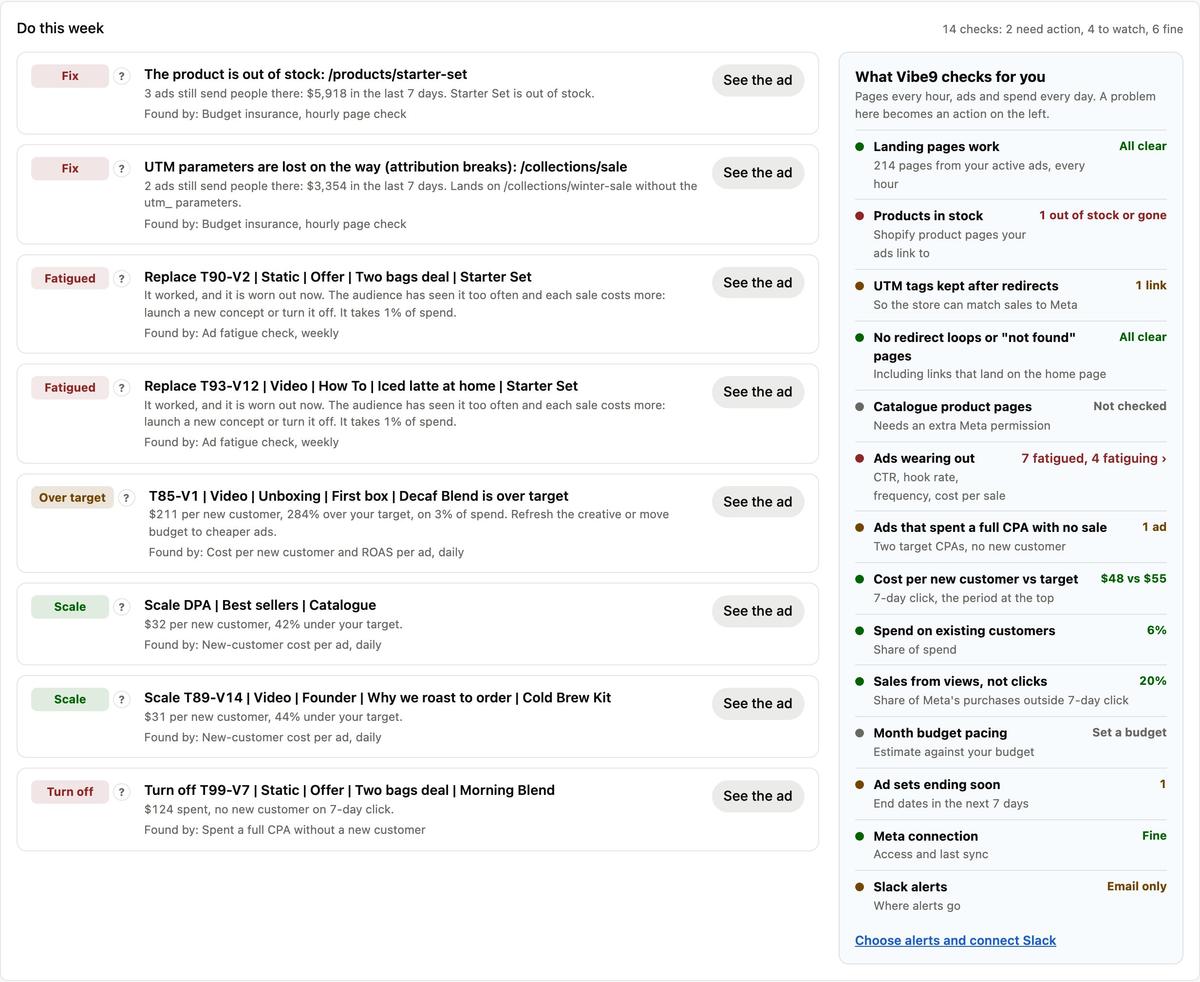
Open Overview and scroll past the Weekly scorecard. Do this week is the wide card with the actions on the left and What Vibe9 checks for you on the right. Open loops sits right under it once a week has been saved.
The actions
Each action shows its instruction, a ?, one line on why, Found by: (the check that raised it) and a button: See the ad opens the ad in Ads, Needs action.
They're sorted by kind in this order, then by spend:
| Instruction | The action | When |
|---|---|---|
| Fix | The page problem and its address, for example "The product is out of stock: /products/starter-set" | Budget insurance found an error, a missing or out-of-stock product, a redirect loop or lost UTM tags on a page your ads link to. Up to three pages. |
| Fatigued | Replace the ad | It worked and it's worn out now. |
| Over target | The ad is over target | A new customer costs too much against your target. |
| Scale | Scale the ad | A new customer costs 25% or more under your target CPA, with enough new customers and ROAS on target. |
| Turn off | Turn off the ad | It has spent two target CPAs with no new customer on 7-day click. |
| Fatiguing | Brief the next version of the ad | Still within target, but starting to wear out. |
| Check | For example "Cap existing customers in prospecting" or "This month is heading $X over budget" | An ad set up for new customers sends 50% or more of its spend to people who already engaged or bought, or the month's spend estimate is more than 2% over your monthly budget. |
| Plan | Plan for the ad sets ending soon | Ad sets with a daily budget end in the next 7 days. |
At most two ads per instruction make the list, and it stops at eight, so in a busy week a Check or Plan action can be left off while its check still shows on the right. The ad instructions are the same as in Ads, Needs action, which lists every ad that needs something.
Why an action is there
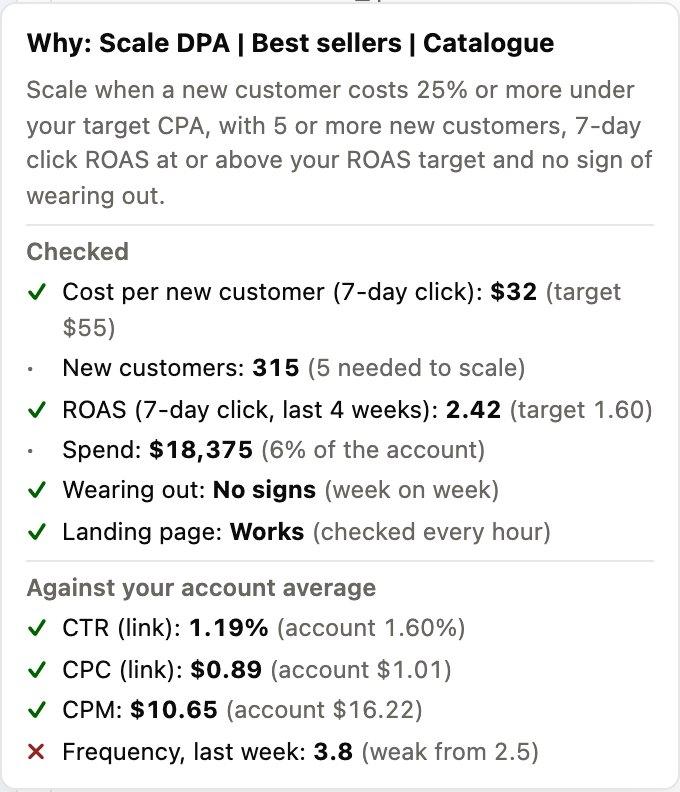
Hover over the ? to see why, or click it to keep it open (click elsewhere or press Escape to close it). It shows the rule, every number that was checked against your targets (✓ passes, ✗ fails) and, for ads, metrics such as CTR, CPC, CPM and frequency against your account average.
What Vibe9 checks for you
The right-hand column lists every check with its state, so you see what's watched even when it's fine. The line at the top counts them, for example "14 checks: 2 need action, 4 to watch, 6 fine". Pages are checked every hour, ads and spend every day, and a problem here becomes an action on the left. Catalogue product pages shows Not checked: it needs an extra Meta permission. Choose alerts and connect Slack opens the alert settings.
Open loops and saved weeks
Once a week, on the week's first sync, the scorecard and the week's actions are saved as they stood. A saved week never changes afterwards. Past weeks can't be rebuilt, so the history starts with the first week saved for your dashboard.
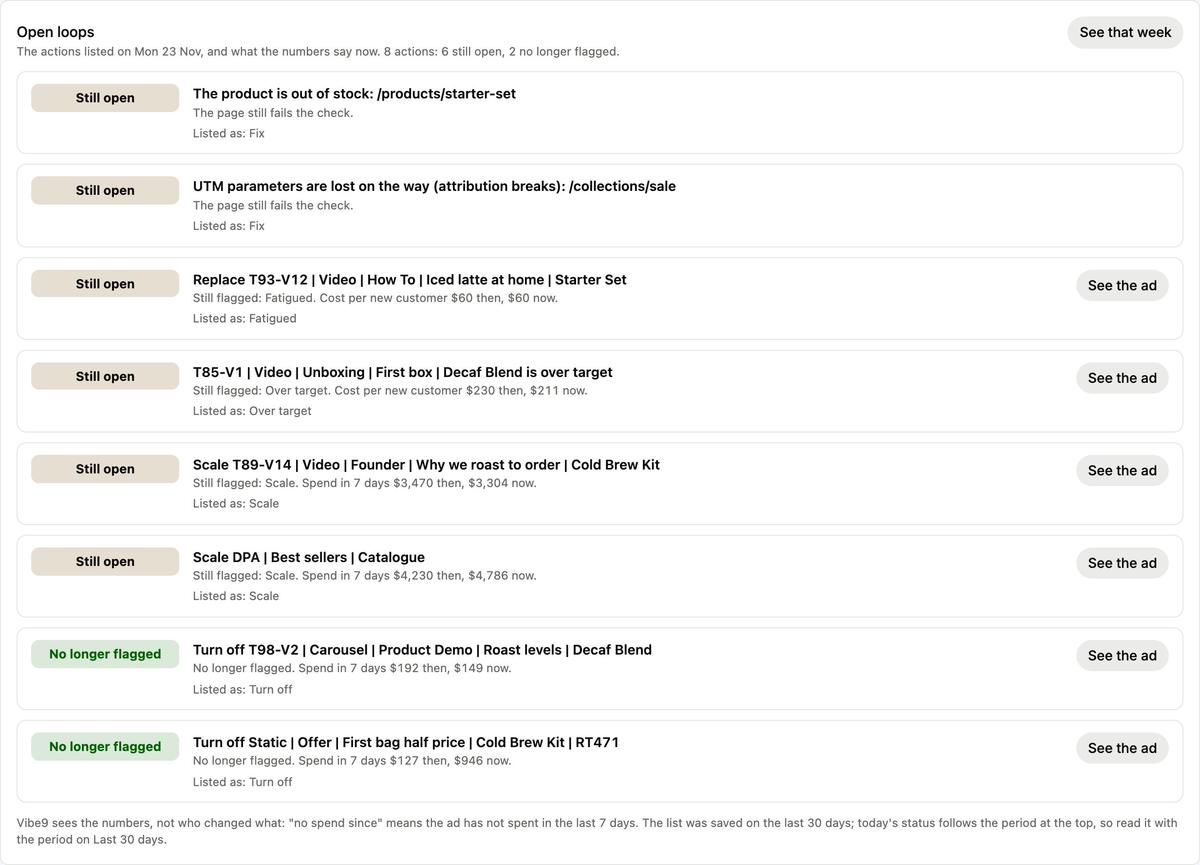
Open loops takes the newest saved week before today and puts each of its actions next to what the numbers say now:
- Still open: still flagged. An ad still has an instruction, a page still fails its check, or the same check is still on the list.
- No spend since: the ad spent in the 7 days before the week was saved and has spent nothing in the last 7 days.
- No longer flagged: it's off the list now.
An ad that went from Fatiguing to Fatigued is the same loop. Each line adds the ad's cost per new customer, or its 7-day spend, then and now.
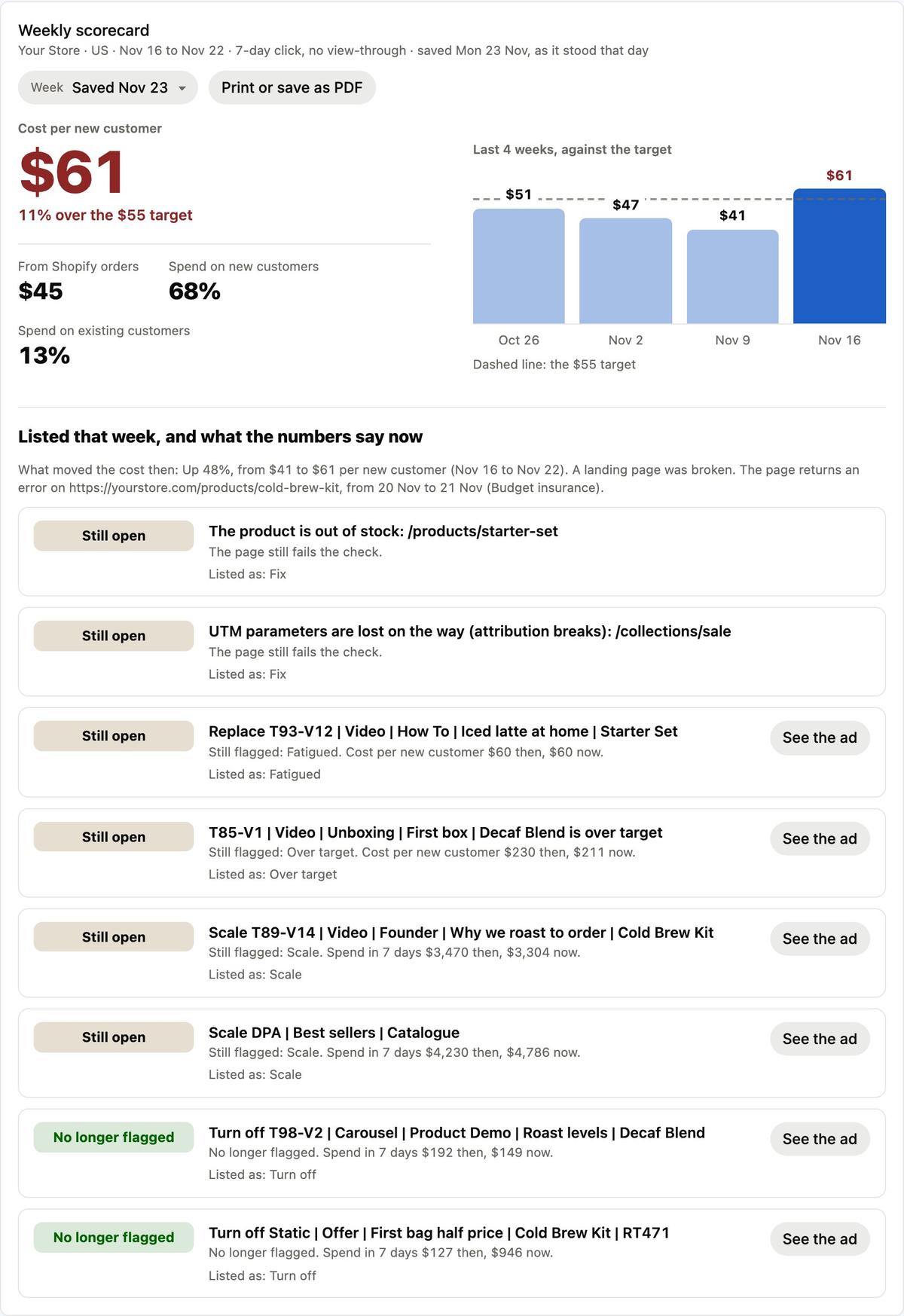
Click See that week, or pick a Saved date in the scorecard's Week select, to see the Weekly scorecard as it stood that day, with what moved the cost then and the actions listed that week. Now, live brings you back.
A Monday routine
- Open Overview and read Open loops first: anything still open from last week comes before new work.
- Work down Do this week from the top. Fix pages before anything else.
- Make the changes in Ads Manager. Next Monday, Open loops shows what moved.
Good to know
- Vibe9.co sees the numbers, not who changed what. "No longer flagged" means the numbers no longer trip the rule, whoever made the change.
- The weeks are saved on the last 30 days, while today's status follows the Period at the top. Leave the period on Last 30 days when you read Open loops.
- How every number is counted: open How we measure in the app's top bar.