GuidesMeasurement
How to calculate your real cost per new customer from Meta ads
Three ways to calculate what a new customer from Meta really costs: audience segments on 7-day click, Shopify first-time customers and aMER. Formulas, steps and when to use each.
On this page
Short answer Divide the Meta spend that reached new people by the purchases from new people that Meta can tie to a click:
Cost per new customer (Meta) = spend on the new audience ÷ 7-day click purchases from the new audience
You get both numbers from Meta's audience segments breakdown, with attribution set to 7-day click in Compare attribution settings. Then check it against Shopify: Meta spend ÷ Shopify first-time customers gives you a lower, more flattering number, because it credits Meta with new customers from every channel. Watching both every month tells you whether Meta is actually filling the top of your funnel.
Why the usual CPA isn't enough
The cost per purchase in Ads Manager mixes three groups:
- People who'd never bought from you
- People who already knew you but hadn't bought
- Existing customers
It also counts purchases after someone only saw an ad. An existing customer who buys a day after scrolling past a retargeting ad makes your CPA look cheaper, but you didn't acquire anyone. That's why a falling CPA can hide a business that's buying fewer new customers.
Meta says the same in its own guidance: "We recommend evaluating performance using your new customer metrics (new customer CPA) from your measurement tools, rather than overall campaign CPA alone" (Meta: customer lifecycle strategy).
Three ways to calculate it
| Method | Formula | Good for | Weakness |
|---|---|---|---|
| Meta audience segments | New-audience spend ÷ new-audience 7-day click purchases | Comparing campaigns and ads | Relies on Meta's attribution and your segment definitions |
| Shopify-based (nCAC) | Meta spend ÷ Shopify first-time customers | A reality check against real orders | Includes new customers from every channel, so it flatters Meta if other channels grow |
| aMER (acquisition MER) | New-customer revenue in Shopify ÷ total ad spend | Executive view across channels | Doesn't tell you which ads work |
Use the first for decisions inside Meta, and the other two to check it isn't drifting from reality. If the Meta and Shopify numbers are far apart, start with why Meta reports more purchases than Shopify.
Method 1: Meta's audience segments on 7-day click
Set up the segments once
In Advertising settings > Audience segments, define:
- Existing customers: for example your Shopify customer list and a purchase-based website audience
- Engaged audience: people who interacted but didn't buy, for example website visitors or Instagram engagers
Meta's definitions: the new audience is "people who have not interacted with your products or services", the engaged audience is aware of your business but hasn't purchased, and existing customers have purchased or signed up (Meta: audience segments reporting, set-up). Segments count from the day you save them, so set them up before you need the history.
Pull the numbers
- In Ads Manager, select your sales campaigns and a closed date range (the last full 30 days that ended at least 7 days ago).
- Breakdown > By Demographics > Audience segments.
- Columns > Compare attribution settings, and add 7-day click.
- For the new audience row, take amount spent and 7-day click purchases.
Calculate
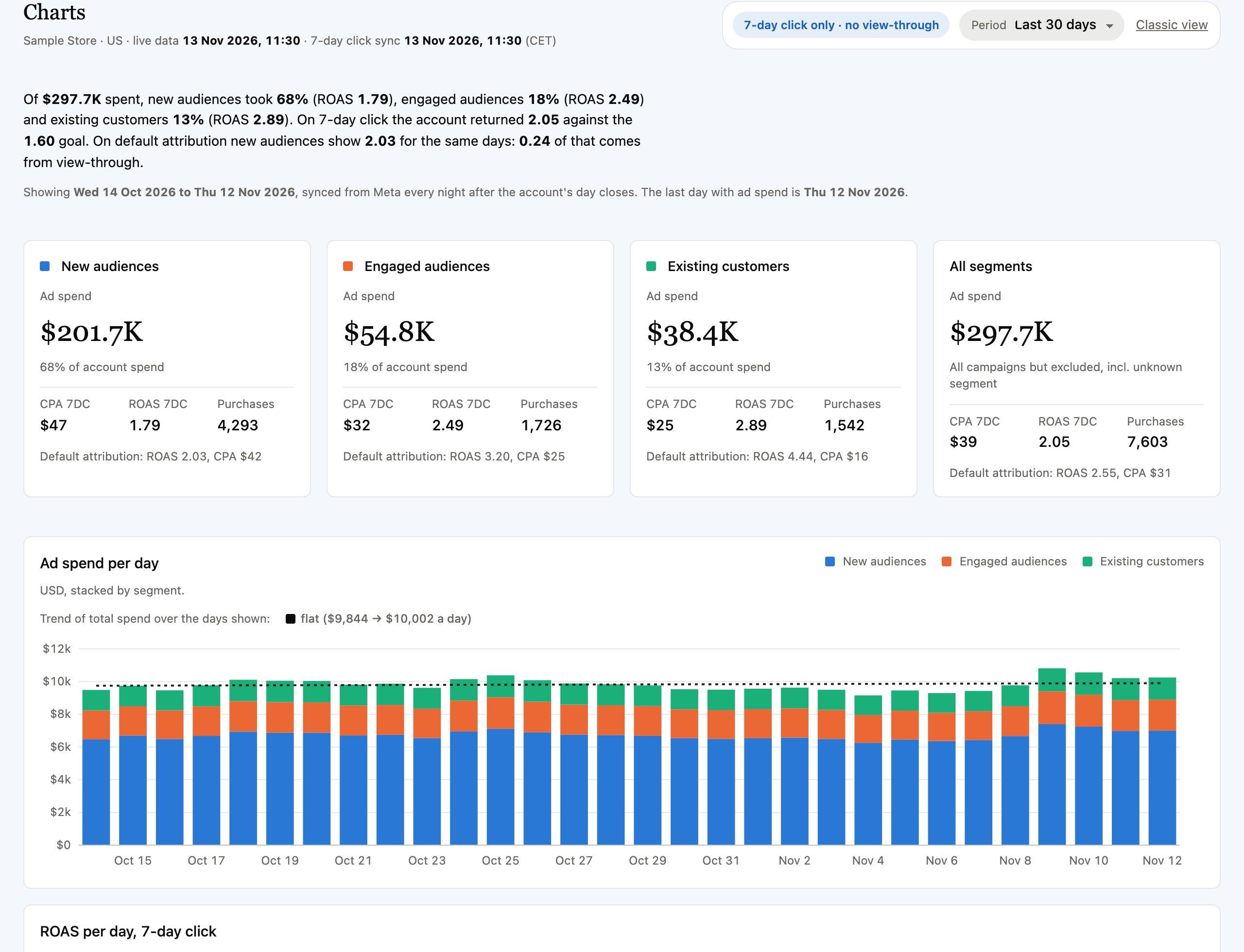
Numbers from Vibe9's sample store (30 days), as an illustration:
- New-audience spend: $203,405
- New-audience 7-day click purchases: 4,310
- Cost per new customer: $203,405 ÷ 4,310 = $47
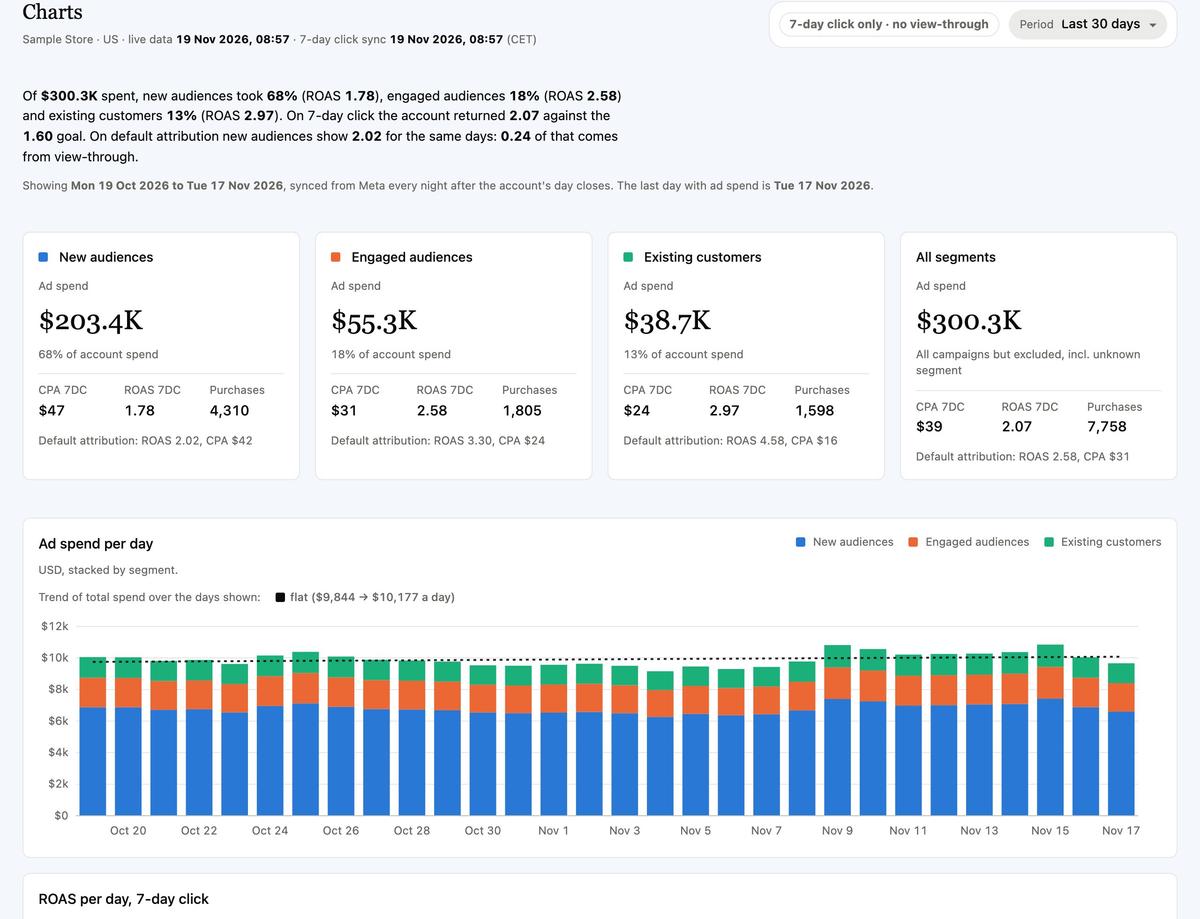
Compare that with the cost per purchase Ads Manager shows for the whole account on its default attribution. If the account CPA is $31, a new customer really costs about 52% more than the headline number suggests.
Method 2: Check against Shopify
- In Shopify, get the number of first-time customers for the same dates and time zone.
- Divide total Meta spend for those dates by that number.
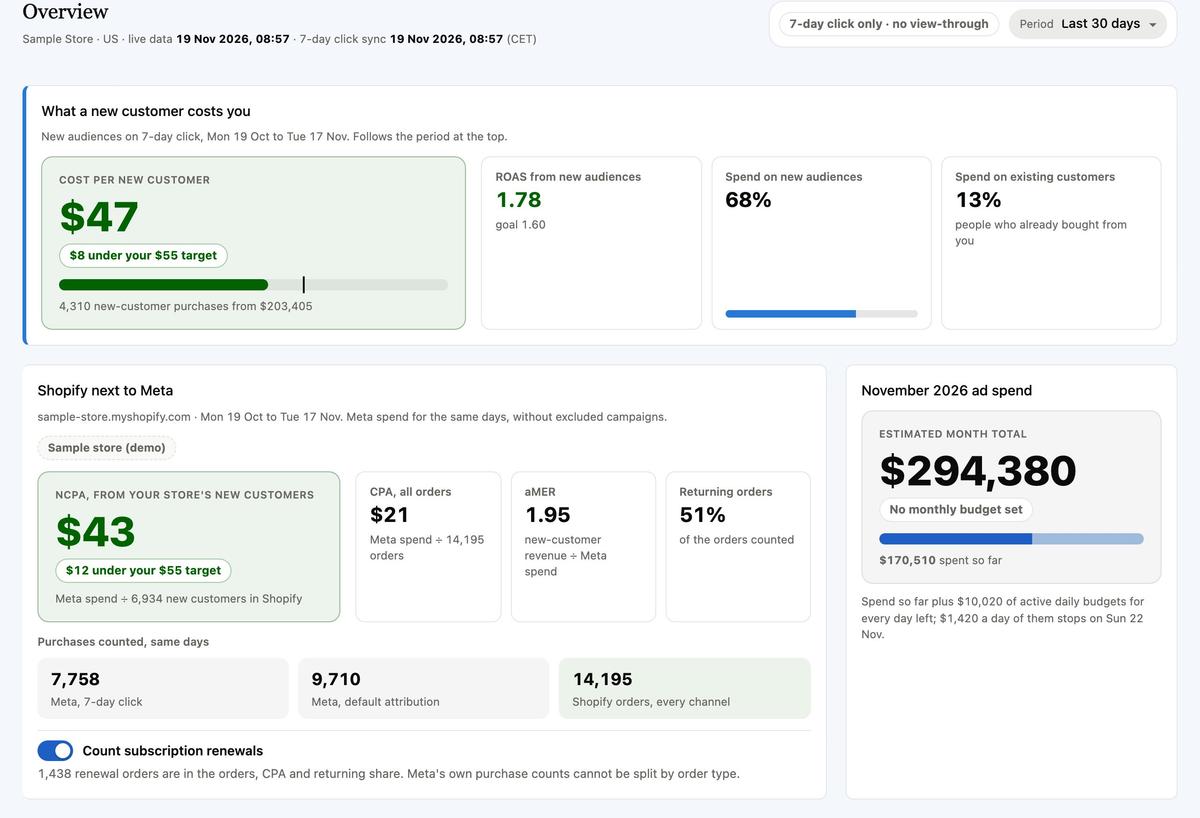
In the same sample store, Meta spend was $300,300 and Shopify had 6,934 first-time customers, so the Shopify-based cost is $43. That's lower than the $47 above because it gives Meta credit for every new customer, including those from Google, email capture, influencers and word of mouth. Treat it as the floor of what Meta could be costing you, and the segments number as the Meta-attributed view.
What to watch:
- Both rising: new customers are getting more expensive. Look at creative fatigue, CPMs and the offer, and whether you're making enough new ads.
- Meta's number flat, Shopify's rising: Meta may be claiming customers who come from elsewhere, or other channels are slowing.
- The gap widening: check how much spend goes to existing customers and how much of the result is view-through.
Method 3: aMER
Acquisition MER = revenue from new customers in Shopify ÷ total ad spend across channels. It's a good number for the business as a whole and for setting budgets, but too blended to judge Meta ads by.
Setting a target
A cost per new customer is only useful against a target, and the target comes from your margins, not from Meta:
- Work out the gross profit from a new customer's first order (or first 30 to 90 days, if repeat purchase is reliable).
- Your break-even cost per new customer is that gross profit.
- Set the target below break-even by the margin you need, or above first-order profit only if you have the data to back repeat purchase.
Write the target down and compare every period against it. A cost per new customer that's "lower than last month" can still be above break-even.
Common mistakes
- Using the default attribution for new-customer cost. View-through inflates purchases from people who already knew you.
- Forgetting the segments only count from the day they're saved. Earlier spend shows as unknown.
- Reading the last 7 days. Recent days are still collecting click purchases.
- Judging retargeting on cost per new customer. Retargeting has a different job. Judge it on sales from warm audiences, and keep its budget small.
- Mixing brand or retention campaigns into the number. Leave them out, or the cost per new customer looks better than it is.
How Vibe9 helps
Vibe9 calculates this every day from your connected ad account and Shopify:
- Cost per new customer against your target, on 7-day click only with no view-through, built from Meta's audience segments.
- Shopify orders next to what Meta claims, so you can see the gap between Meta's numbers and your store's real new customers.
- Customer types: spend, CPA and ROAS for new, engaged and existing customers, and the share of spend going to people who already bought.
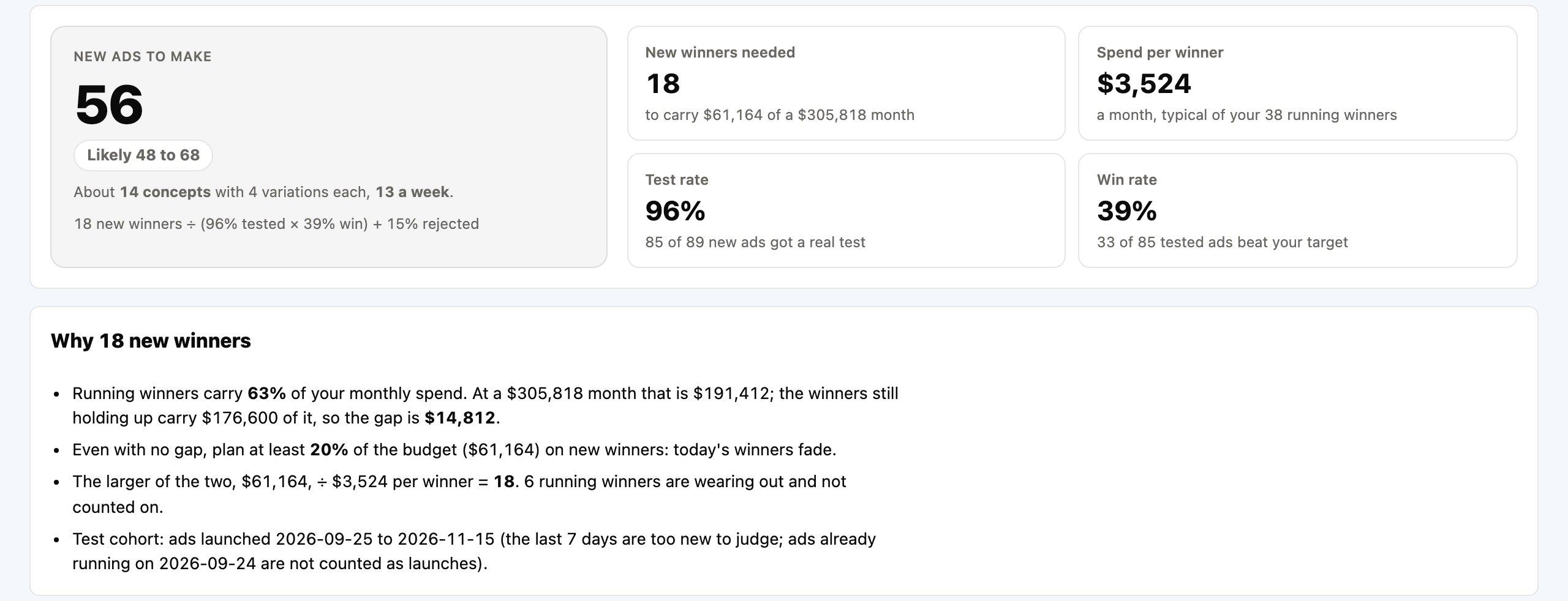
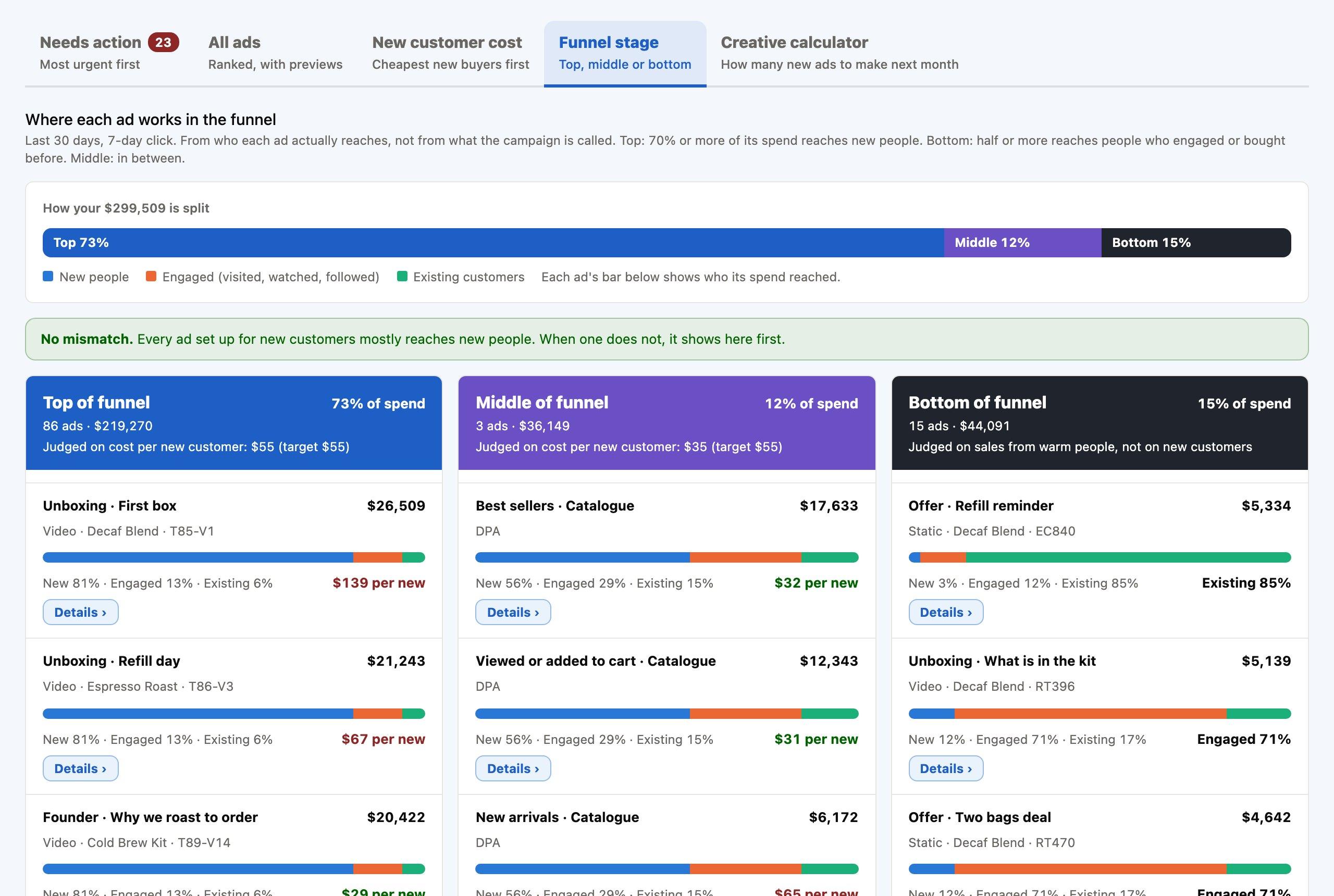
- Funnel stage per ad: each ad sorted by who it actually reaches, with prospecting ads that mostly reach people who already know you flagged.
- Closed days only, and brand or retention campaigns left out of every number if you choose.
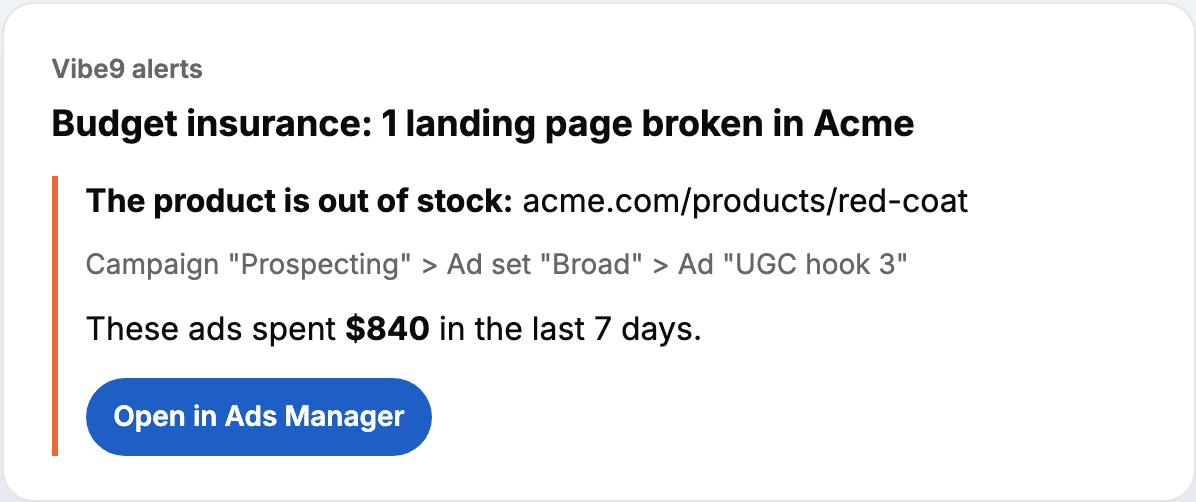
- What moved your cost: when cost per new customer jumps or drops, the likely cause with the numbers behind it.
FAQ
What's the difference between CPA, nCPA and nCAC? CPA is spend divided by all purchases Meta attributes. nCPA (new customer CPA) counts only purchases from new customers. nCAC usually means total acquisition spend divided by all new customers, often from your store's data rather than the ad platform's.
Can I see new customer purchases in Ads Manager? Yes, through the audience segments breakdown on sales campaigns, once your engaged audience and existing customers are defined in Advertising settings. Meta notes the feature may not be available to every account yet.
Why is my new-customer CPA so much higher than my CPA? Because the account CPA includes cheaper purchases from people who already know you and purchases after views. The gap tends to be bigger in accounts with a lot of retargeting or video. Measure yours and track it monthly.
Should I use 7-day click or 1-day click? 7-day click is the better default for e-commerce, because many people buy a few days after clicking. Use 1-day click only if your buyers almost always buy the same day.
How often should I check it? Weekly for the trend, on closed days. Daily numbers are too noisy to act on.
Track it every day
You can build this in a spreadsheet once a month. If you'd rather see cost per new customer against your target every morning, next to Shopify's real new customers, request beta access.